
2024-07-31
Things You Need to Do When Intelligent Smart Lock Battery Dies
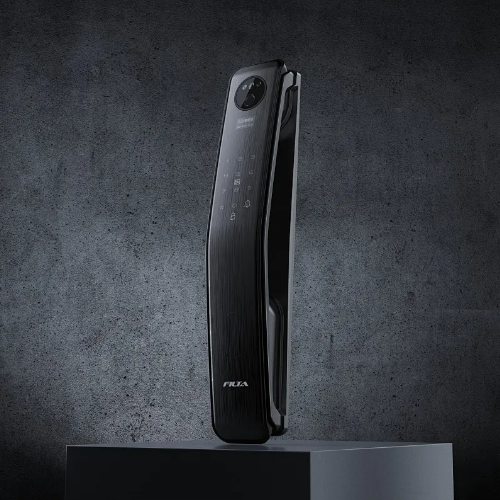
Does your smart lock depend on a wireless battery to function? Most smart door locks available today are battery powered, making them more convenient and compatible with home automation systems.
But what happens if the battery in a smart lock dies? The expected consequences include being unable to unlock the door, inactive automatic features, limited entry methods, and potential security concerns. This article aims to identify the primary causes of these issues and provide solutions for entering your home successfully when the battery runs out.
Common Power Source Options for Intelligent Smart Lock
Like all electronic devices, intelligent smart locks require a power source to operate efficiently. There are several power source options available for intelligent smart locks. Here are the most common ones:
Hardwired
Some intelligent smart locks can be directly connected to a home's electrical system. These hardwired smart locks draw power from the existing electrical wiring, eliminating the need for batteries. This wired power source ensures continuous operation without concerns about battery life, making the question "What happens if an intelligent smart lock battery dies?" irrelevant in this context. However, hardwired locks may require professional installation, which can be more time consuming.
Battery
Batteries are one of the most common power sources for smart locks. Many smart locks use standard alkaline or rechargeable batteries. This option offers greater convenience, flexibility, and ease of installation. Smart locks with rechargeable batteries can typically be charged using a provided USB cable or a charging dock. On average, a smart lock lasts 6 to 12 months on a single set of fresh batteries.

What Happens If Intelligent Smart Lock Battery Dies
As previously mentioned, the batteries in smart locks only last for a limited period. When a smart lock's battery dies, several consequences can occur.
Inability to Unlock the Door
The first consequence is that you may be unable to lock or unlock the door, as the lock requires power to connect to your smartphone or home automation system. Smart locks are IoT devices that rely on battery power to maintain wireless connectivity. Therefore, the most obvious outcome of a dead smart lock battery is being locked out of your home.
Inactive Automatic Features
When the smart lock's battery dies, it may lose its ability to communicate with external devices. Consequently, you won't be able to control the lock remotely or activate automatic features through your smartphone or other connected devices. Smart locks often include convenient automatic features like auto-locking or unlocking based on proximity. Without a power source, your door lock will likely lose all its smart functionality.
Limited Entry Methods
Different smart door locks have various designs. For instance, biometric door locks use your fingerprint or facial features as the entry code, while keypad door locks require you to input a specific password. When the battery dies, you will need to manually use a physical key to unlock the door. In some cases, this might be the only way to access your home.
Security Concerns
If the battery dies without an alternative access method, you may face security concerns. Your door might remain unlocked, leaving your valuable property unprotected. In some cases, intruders or burglars could exploit this vulnerability to damage your lock and break into your home.
How to Know the Battery May Die
Smart door lock batteries have a limited lifespan, so manufacturers design various indicators to alert users when the power is low. These indicators ensure that you know your smart lock is running out of power before you get locked out.
PRODUCT KNOWLEDGE - March 10, 2026
Difference Between Passage and Privacy Lockset
Learn the difference between passage and privacy locksets. Discover how bathroom privacy lock handles improve interior door functionality.
March 05, 2026
Modern Keyless House Door Lock for Secure Residential Access
Learn about smart door entry system security protocols, digital door entry systems selection criteria, and installation compatibility factors.
PRODUCT KNOWLEDGE - February 28, 2026
Why Modern Electronic Keypad Door Lock Technology Matters to Businesses
Explore modern electronic keypad door lock solutions for commercial use, covering security standards, smart integration, and OEM supply insights for global buyers.