How Does A Smart Lock Work?
In today's increasingly connected world, traditional door locks are being rapidly replaced by smarter, safer, and more convenient alternatives — smart locks. Whether you're managing Airbnb properties, upgrading home security, or seeking keyless entry convenience, smart locks offer a powerful combination of function and modern innovation.
What is a Smart Lock?
A smart lock is an electromechanical locking device that can be locked and unlocked without using a traditional key. Instead, users can control access through digital credentials, such as smartphone apps, keypads, voice commands, or even biometrics.
Unlike conventional locks, smart locks can provide:
Remote access control
Custom user access codes
Entry and exit tracking
Integration with home automation systems
These locks are designed to provide both convenience and enhanced security for modern homes, rentals, and small offices.
The Basic Components of a Smart Lock System
To understand how a smart lock works, it's helpful to examine the essential components that make up the system:
1. Electronic Deadbolt Mechanism
This is the part that physically locks and unlocks the door. Instead of turning a key, a motorized mechanism slides the bolt in and out when it receives an authorized signal.
2. Control Interface (App, Keypad, or Sensor)
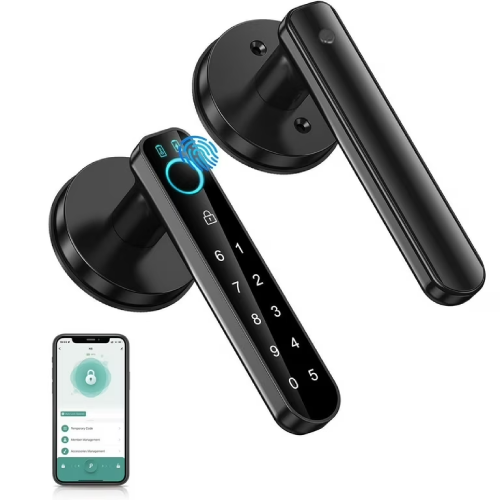
Depending on the model, users interact with the lock through a mobile app, a smart keypad deadbolt, a fingerprint scanner, or voice control. This is where authentication begins.
3. Connectivity Module (Bluetooth, WiFi, or Z-Wave)
This is the ‘smart’ part of the smart lock. It communicates with your phone, smart home hub, or cloud system. In a WiFi keyless deadbolt, the WiFi connection allows for full remote access from anywhere in the world.
4. Battery Pack
Smart locks are usually battery-operated. Alerts are typically sent when the battery is low, and many systems feature emergency power contacts.
How Does a Smart Lock Authenticate and Grant Access?
Smart locks authenticate users based on credential types. Here are the most common methods:
Smartphone App Control (Bluetooth or WiFi)
Users install an app on their smartphones, pair it with the lock, and gain access by tapping a button or approaching the door (via Bluetooth proximity detection). This is common in smart level locks, which often focus on minimal visible hardware and seamless operation.
PIN Codes via Smart Keypad Deadbolts
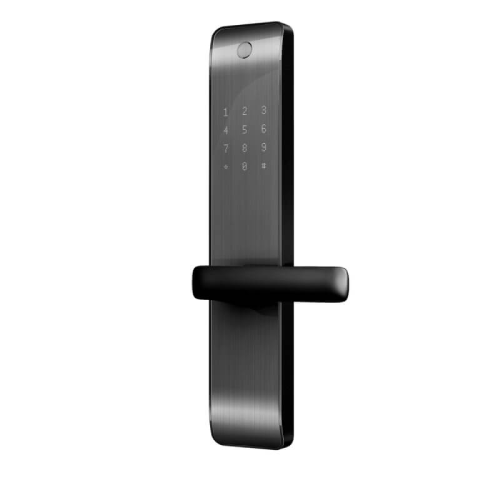
A smart keypad deadbolt allows users to enter numeric codes for access. This method is highly convenient for guests, deliveries, or children without smartphones.
Remote Access with WiFi Keyless Deadbolt
A WiFi keyless deadbolt provides cloud-based control, allowing users to lock or unlock doors remotely via the internet. This is ideal for property managers, vacation rentals, or frequent travelers.
Biometric Scanning
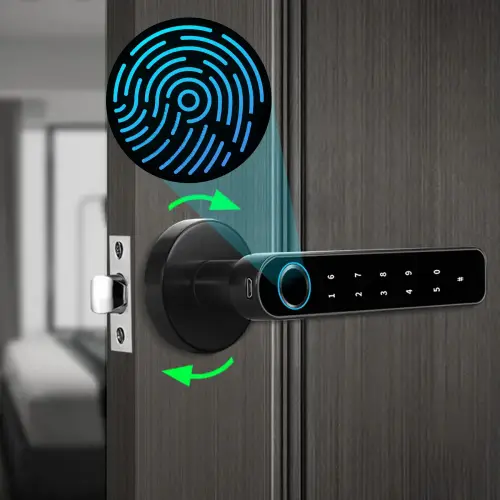
Some advanced smart locks include fingerprint scanning, face recognition, or even retina scanning. While not universal, these high-end models prioritize maximum security.
Smart Lock Connectivity: Bluetooth, WiFi, or Z-Wave?
Smart locks rely on various wireless technologies for communication. Understanding their differences helps users choose the right solution for their lifestyle.
Bluetooth
Offers close range control
Battery efficient
Ideal for personal home use
Often used in sleek smart level lock
WiFi
Enables full remote access
Requires more power (shorter battery life)
Excellent for controlling locks from anywhere
Standard in WiFi keyless deadbolts
Z-Wave / Zigbee
Often used in smart home systems
Requires a hub to function
Offers good range and reliability
Integrates with other smart devices
Filta's product design takes into account these connectivity differences, offering lock options that are adaptable across varied use cases — whether users seek elegant minimalism or smart home integration.
Understanding Smart Lock Features: More Than Just Keyless Entry
Modern smart locks offer a range of features that make them more than just key replacements:
Auto-Lock and Auto-Unlock
This feature allows the door to lock after a set time or unlock automatically as you approach. Many smart level locks utilize geofencing and motion sensors to enable this functionality.
Activity Monitoring and Alerts
Users can receive alerts when someone enters or exits, with timestamps. Great for parents or Airbnb hosts who want to track visitor activity.
Temporary Access Codes
Smart locks with keypads (such as smart keypad deadbolts) allow users to assign temporary PINs to guests or workers. Codes can be time-limited or one-time use.